Note Groups
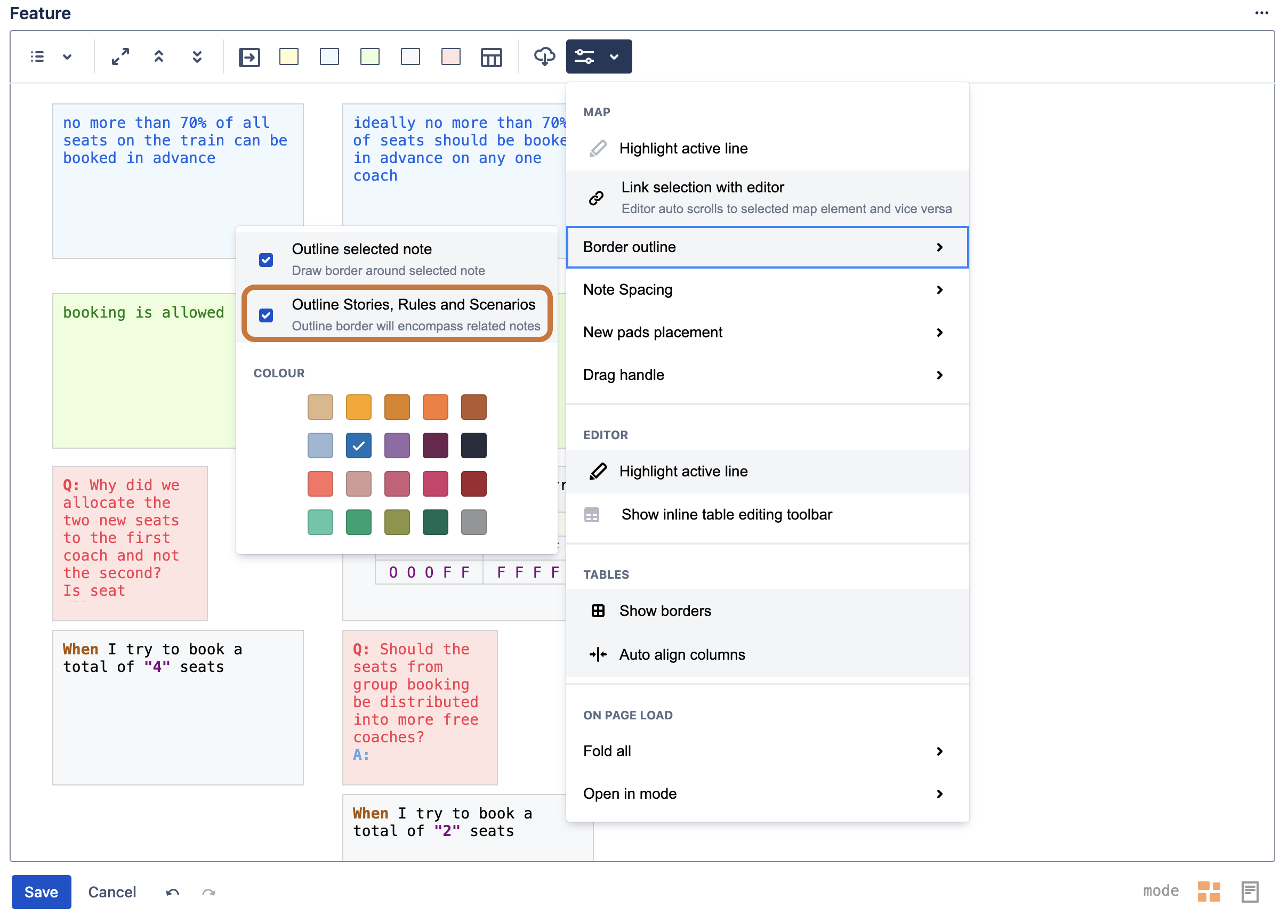
Semantically related notes are grouped together for selection, copying and drag & drop operations. Ensuring that the preferences menu option highlighted below is checked will show a border around note groups.
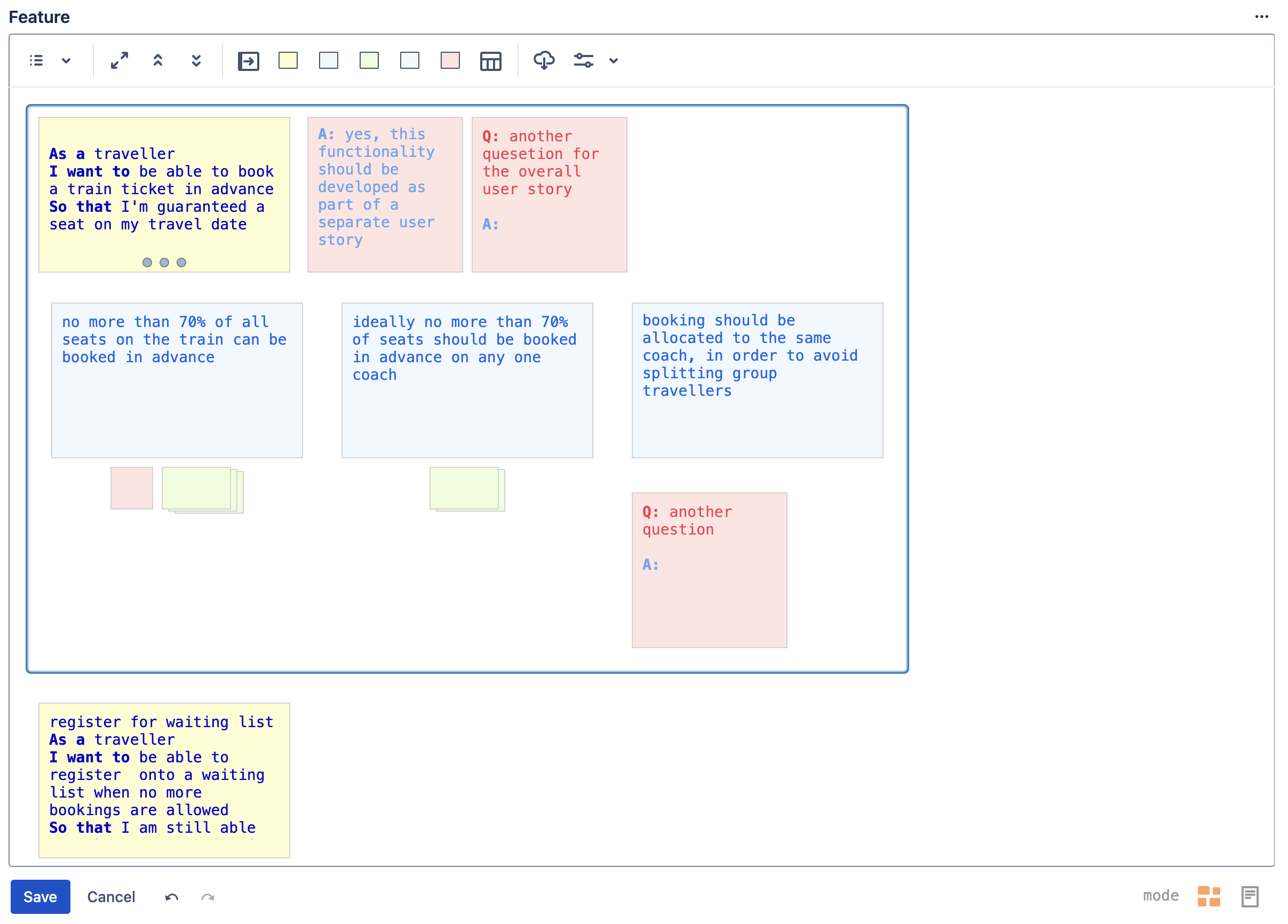
User Story Group
Click on the drag handle of a Story Note to see an outline border around all Scenario, Rule and Question notes that semantically belong to the selected User Story
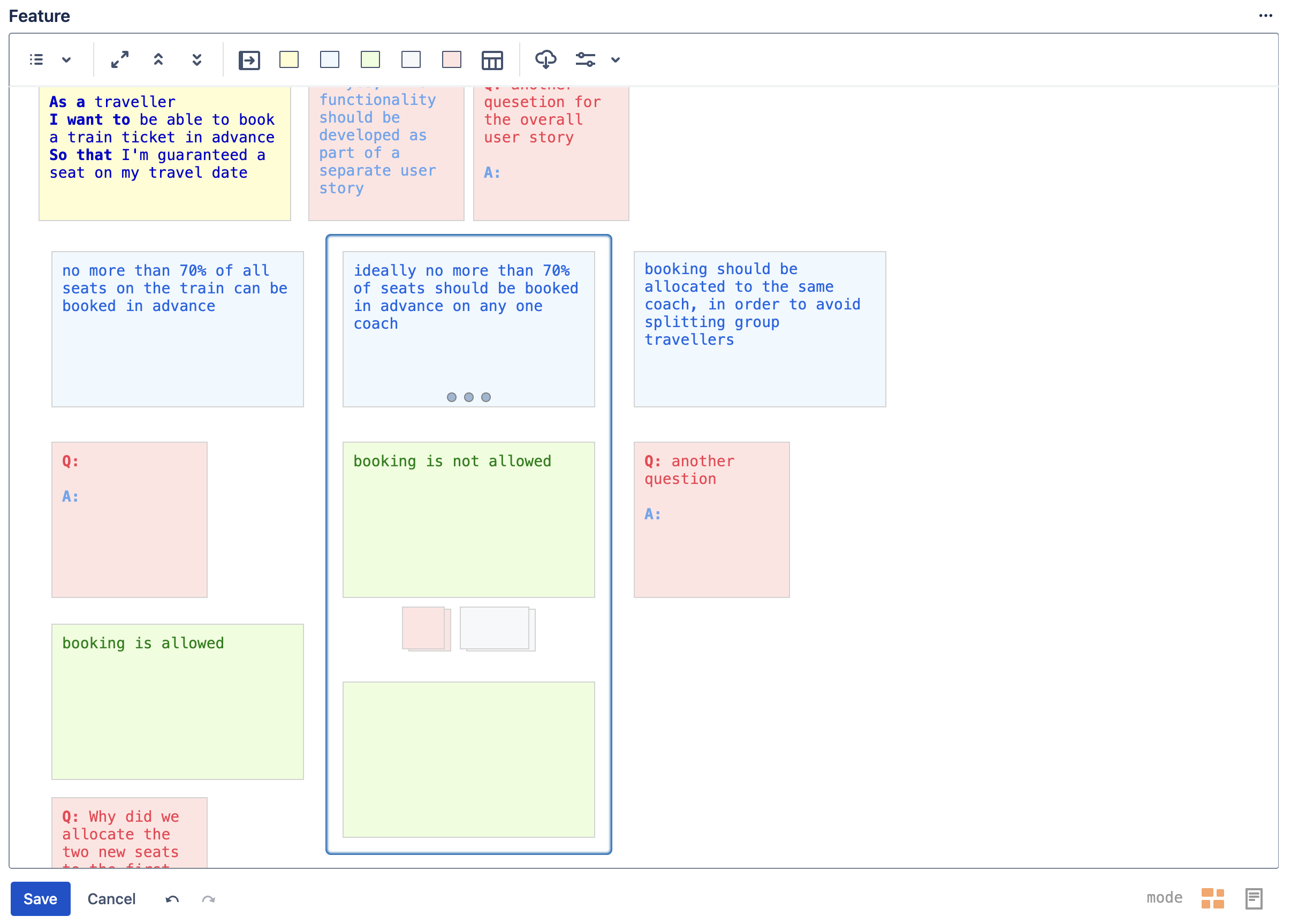
Rule Group
Click on the drag handle of a Rule Note to see an outline border around all Scenario and Question notes that semantically belong to the selected Rule
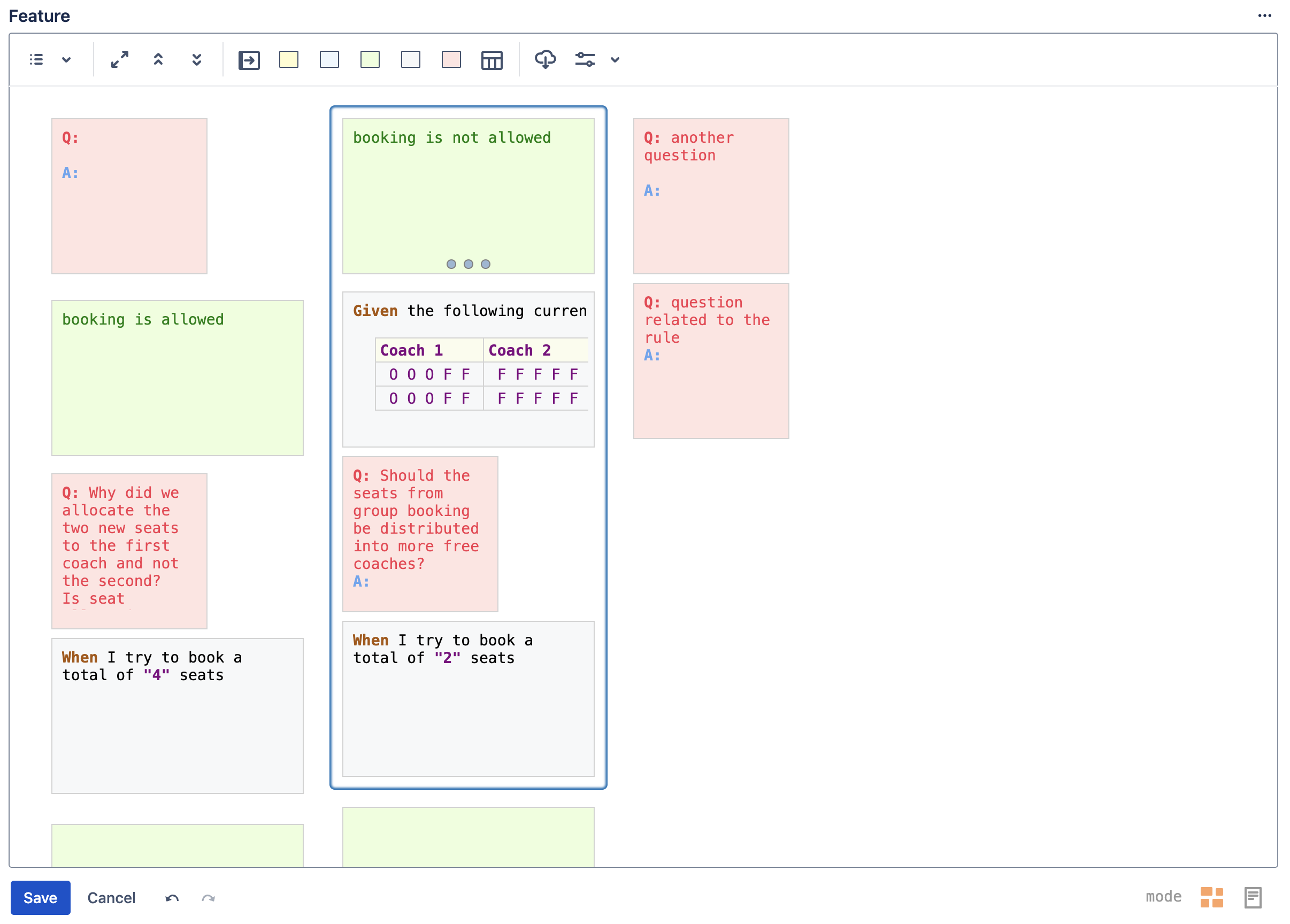
Scenario Group
Click on the drag handle of a Scenario Note to see an outline border around all Step and Question notes that semantically belong to the selected Scenario