Installation
“BDD for Jira with Git” is installed as an app through Atlassian Marketplace.
-
Click on the “Apps” navigation bar drop down menu and select “Explore more apps“
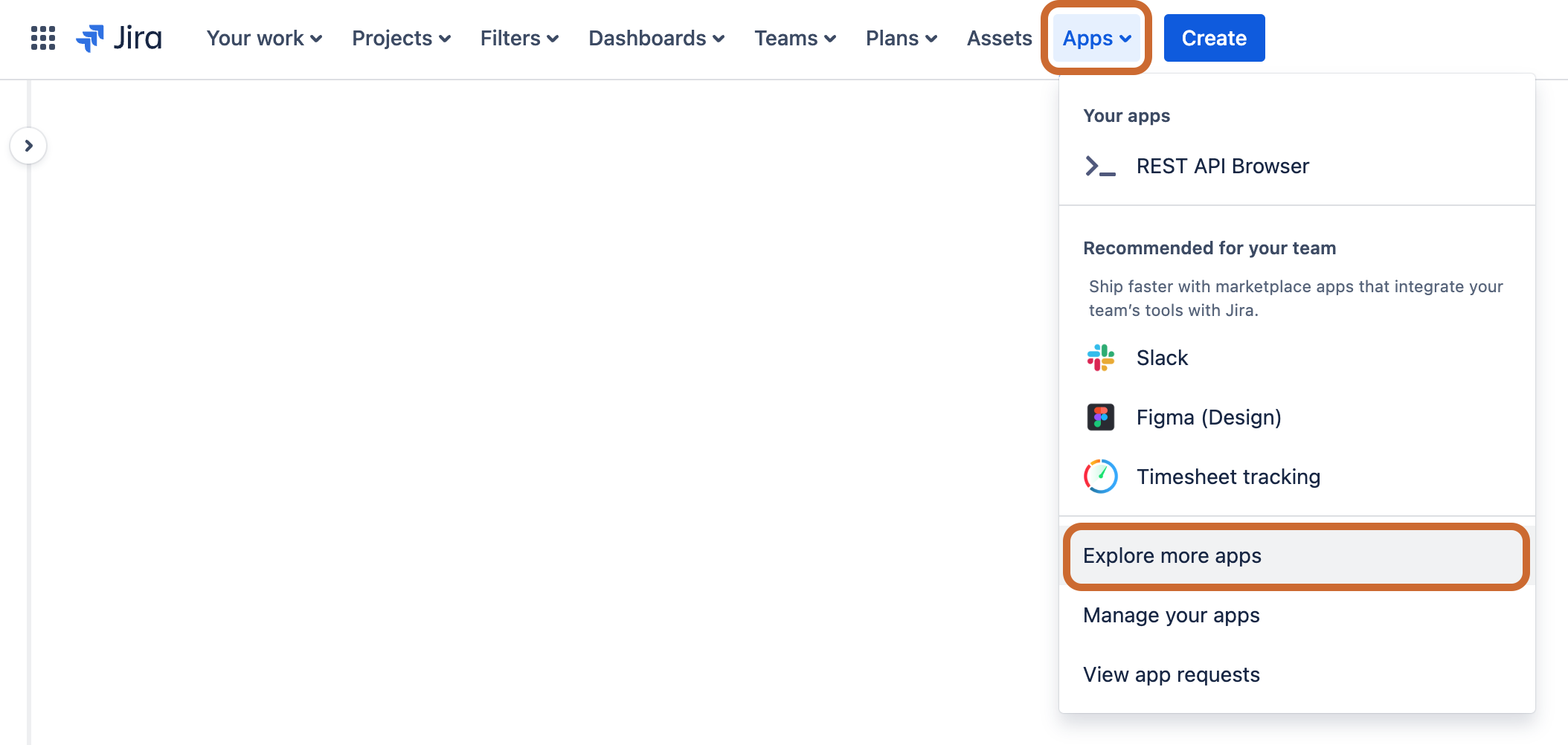
-
Search for “BDD for Jira with Git“ and follow installation instructions
Enable App for Jira Project
Before you can use the app it needs to be enabled for a specific Jira project(s) where it is needed.
- Navigate to Project settings
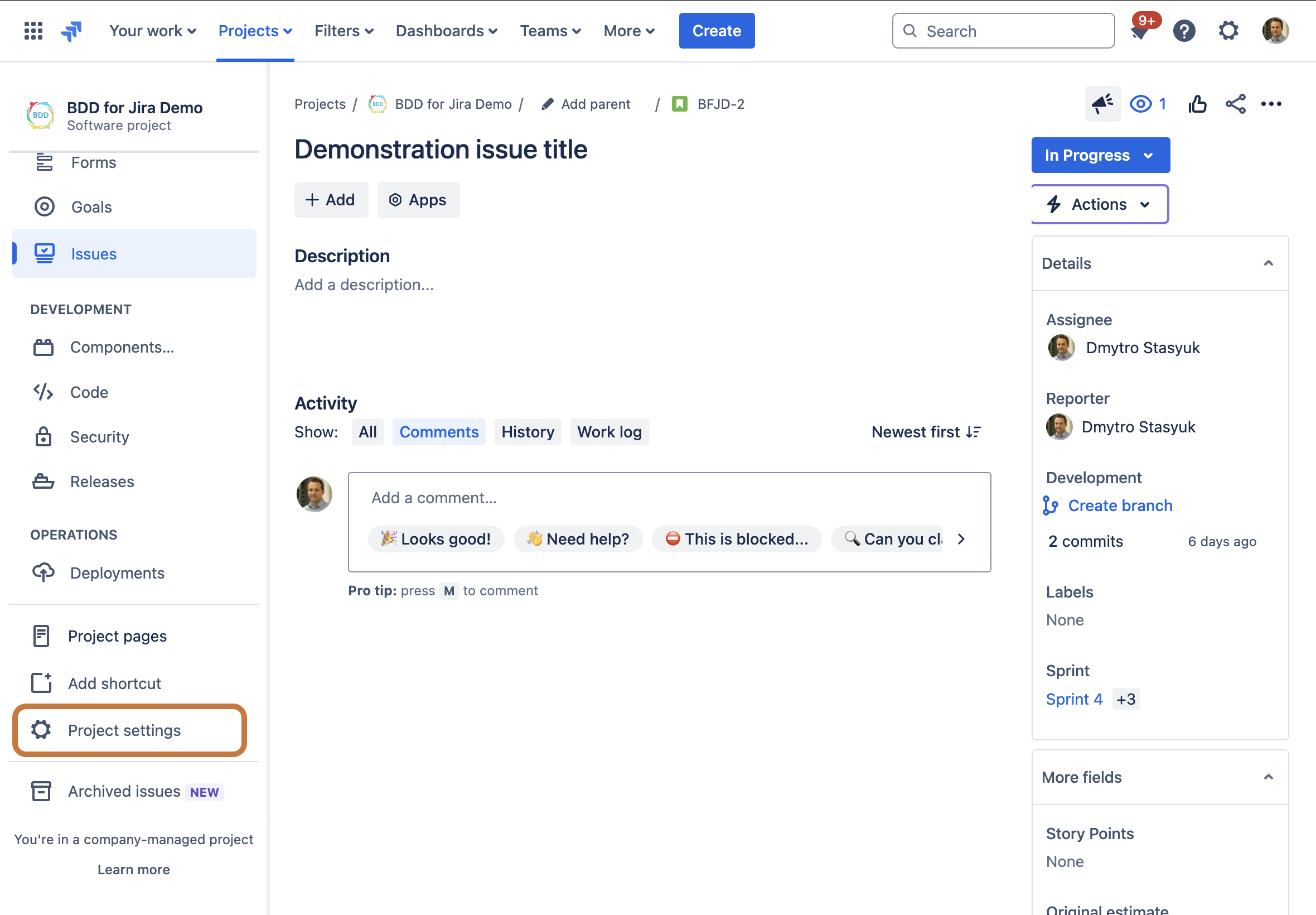
-
Then click on the “BDD for Jira with Git“ link as shown
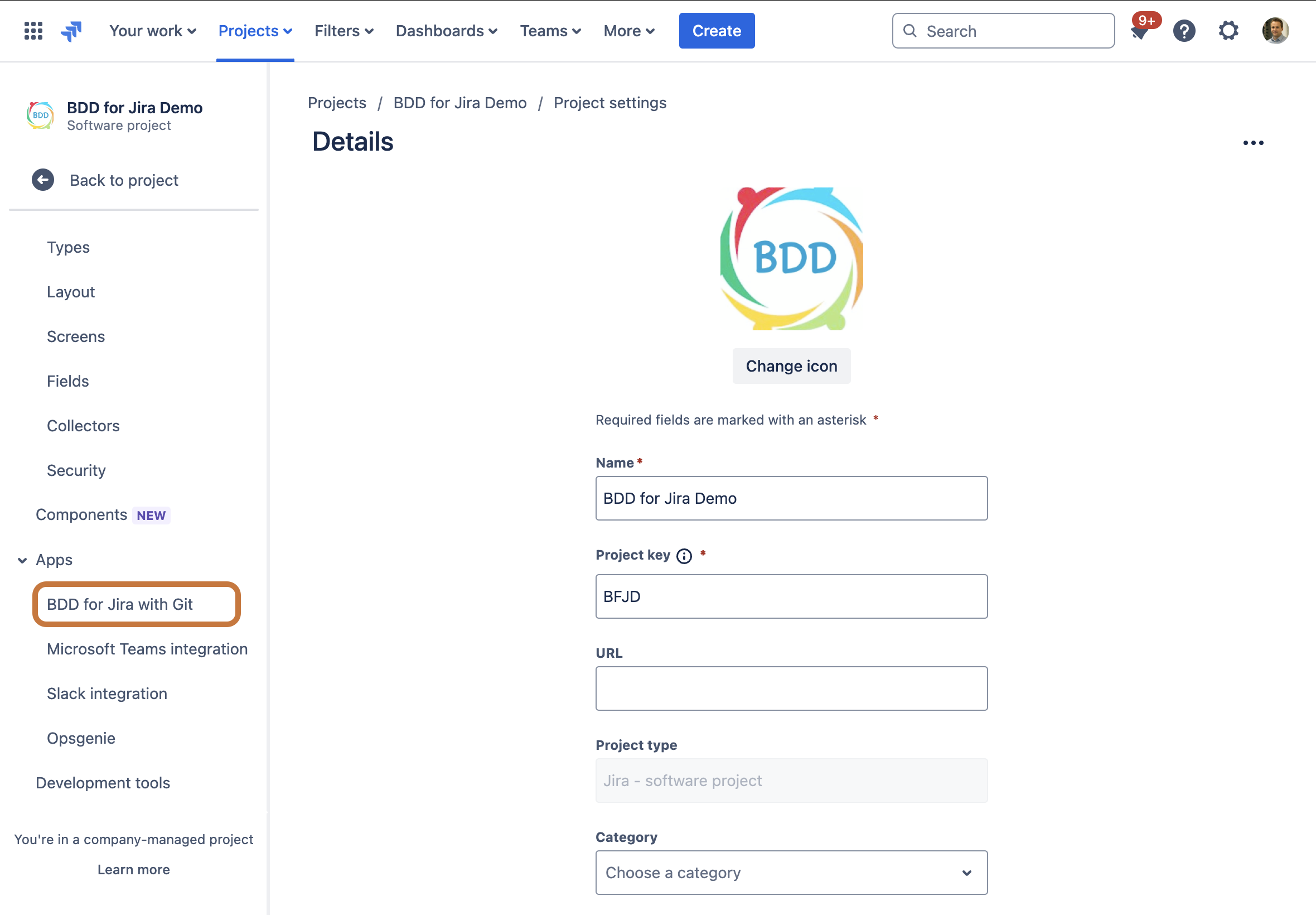
-
Then on the App’s settings page, click the toggle button to On position and click Save
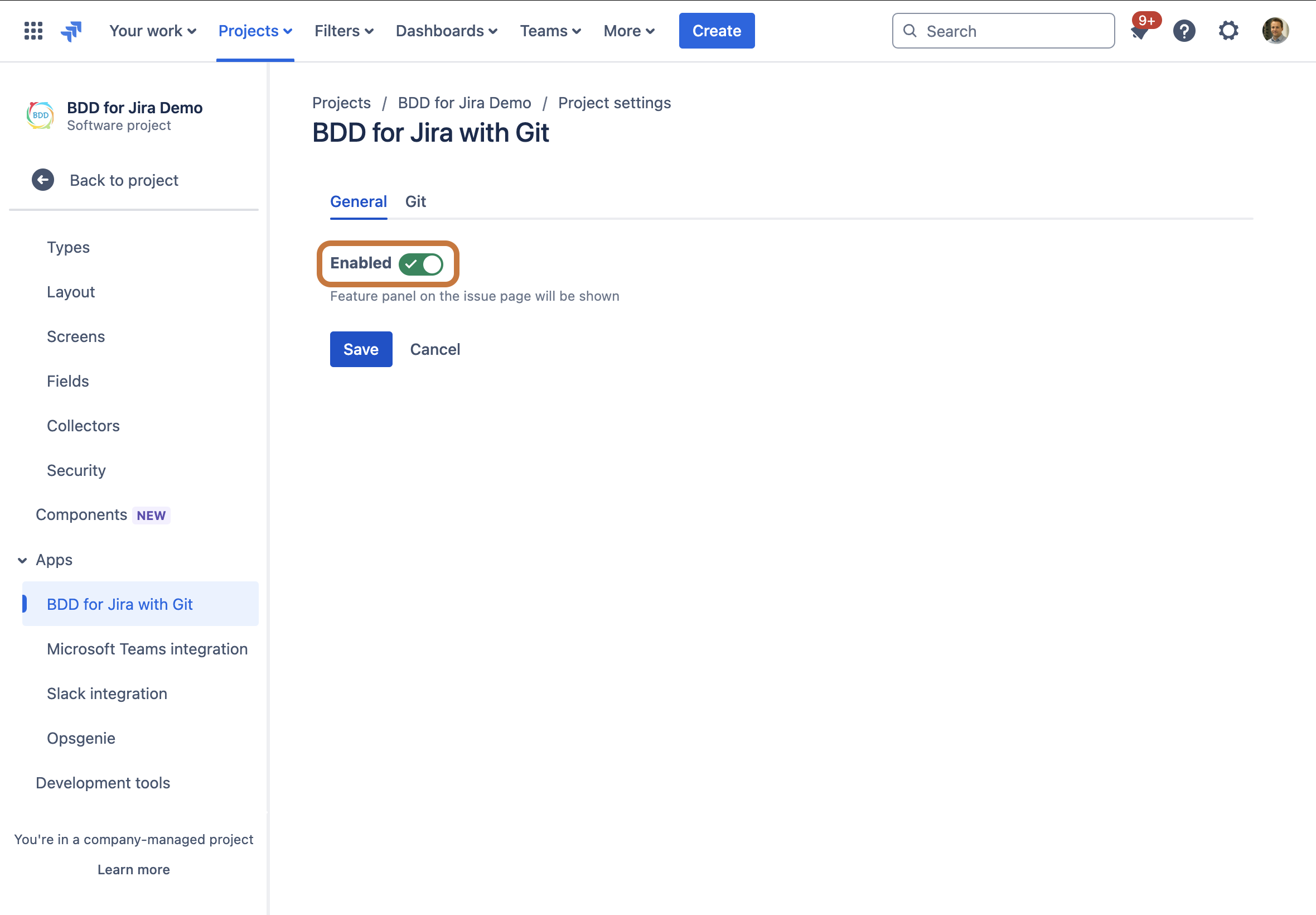
-
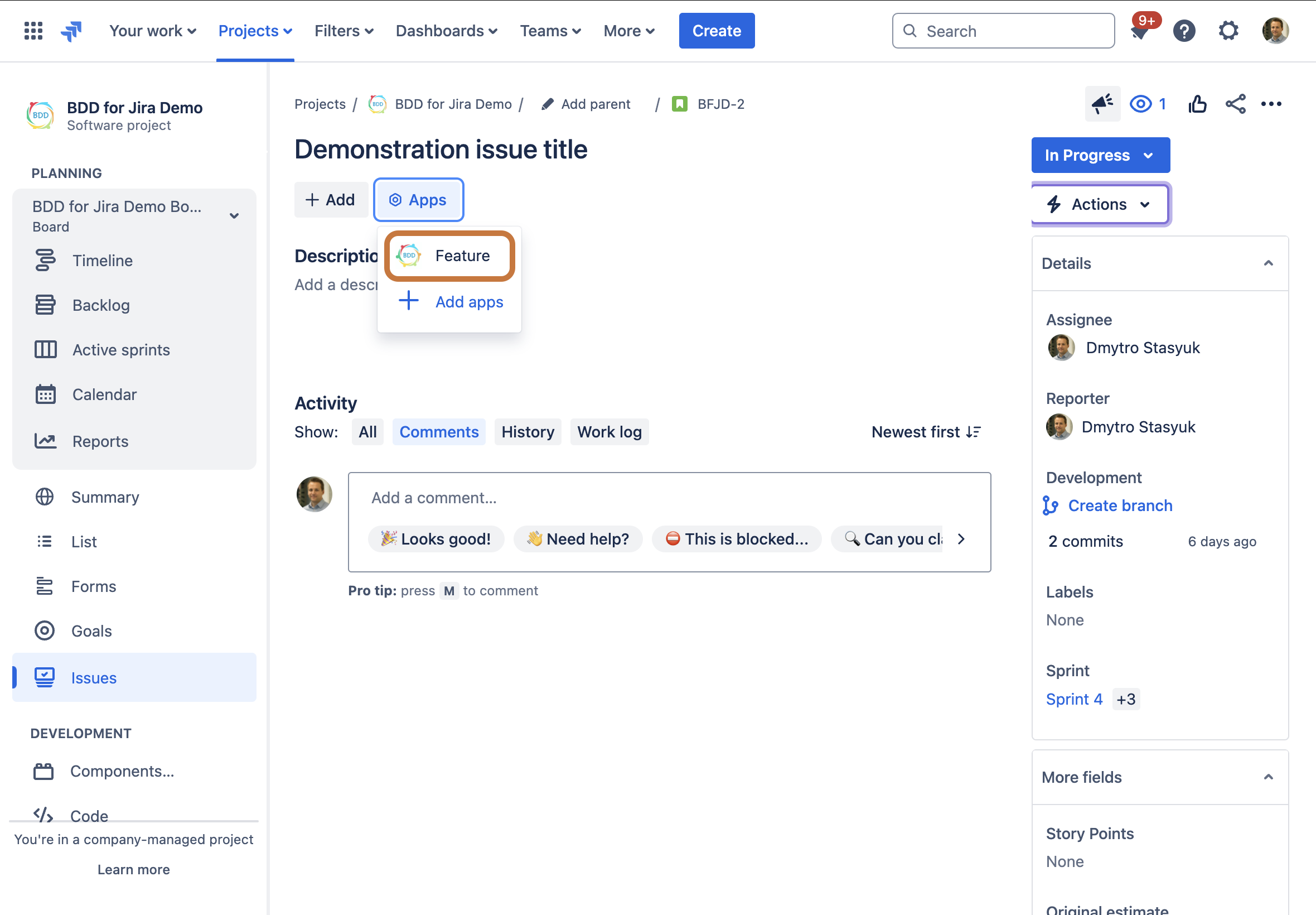
Once back on the Issue page, click Apps dropdown menu and select “Feature“
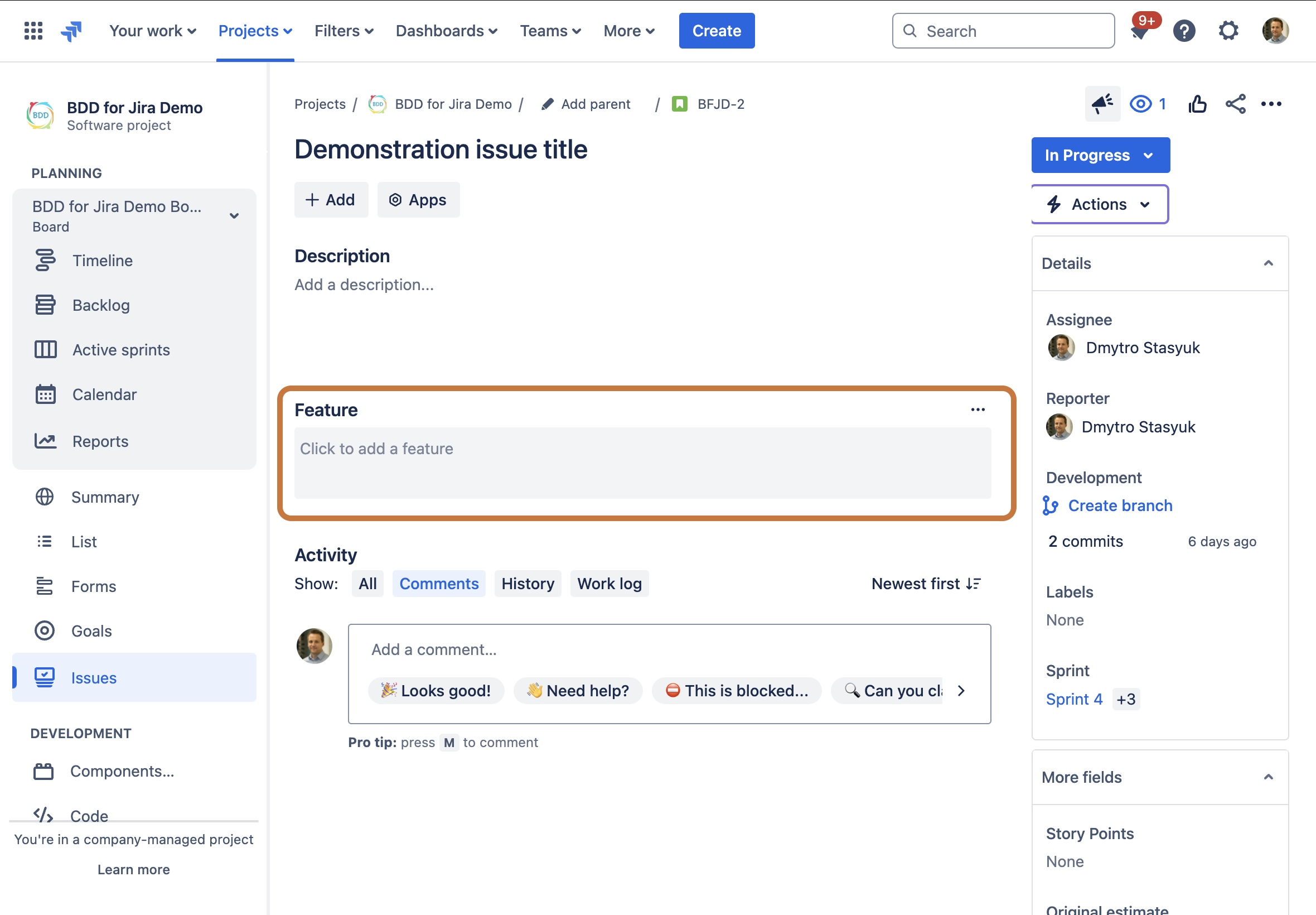
- This will add a “Feature” panel below the Description, click inside to start editing
Next: Enable Git Integration